Pebble, a month later

So, I’ve had my Pebble for a while now, and I still like it. The vibration works great for waking me up. I never had a wrist watch that could do that with sound. More exciting though, is that things are finally happening at the apps front. The watch face SDK was released a few weeks ago, and boy was there a pent up need to produce watch faces!

Most are crap of course, but some are really good. I am currently using Revolution, which is a excellent. Huge display of hours and minutes, so even I can see it. But it also shows seconds and date. Also, some user written apps are showing up – still far fewer that watch faces though. I am using Timer occasionally. It is a simple but useful countdown timer that really should have been built-in. And to show what is possible, we have a Hex Editor no less! Yes, it allows you to totally screw up the watch OS and other apps. Weird, but why not.

And of course, the RunKeeper app has finally appeared! Woot! This was announced already when the Kickstarter project was set up, and was probably the main reason why many decided to get a Pebble. The current version only displays distance/speed in miles. Hoping for a fix to that asap …

Pebble impressions

I have had my pebble for a few weeks now, and I actually like it a lot, even with it’s current limitations. There is a small uproar going on in the Pebble community because all the promised watch apps and the developer SDK has failed to appear yet. And I agree – I too would like to try writing cool apps for the watch. However, I do believe that will be available at a later point, and the watch is actually quite usable even as it is.

My favorite function is a very simple one. The motion sensor in the watch turns the backlight on at a flick of the wrist. This is so useful that all electronic watches should have it.

The main functions the watch has right now (apart from telling time) is SMS and mail notifications. SMS is flawless, mail works most of the time but not always. This is apparently a problem with the iOS API and the Pebble guys are working on it – or so they say. The watch also works fine as an iTunes controller.

A big drawback is unfortunately a severely diminished battery life on the iPhone due to the increased Bluetooth traffic. I used to get at least two days out of my iPhone before Pebble, and now I get barely one day. Irritating, but not really Pebble’s fault.

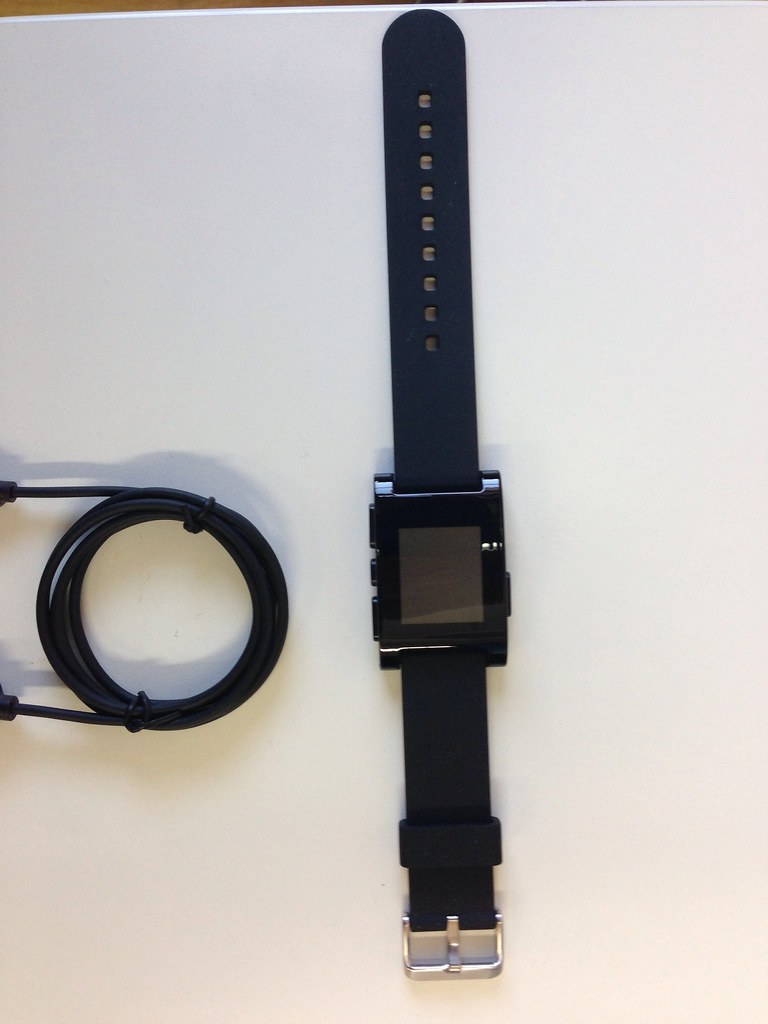
My Pebble watch has arrived!

W00t11! My Pebble watch has finally arrived after an exciting trip through Kazakhstan of all places. I thought for sure that it would never be passed through because Borat wanted it for himself, but it all worked out for the best. 🙂

I have read a lot of horror stories in the Pebble forums about bad displays and other malfunctions in the new watches, but mine seems to be fine (touch on wood). We’ll see how things work out after I have used it for a while.

And for your viewing pleasure, here are the obligatory unboxing pictures.


First keyboard impressions

OK, now I have used the new Unicomp keyboard a little while, both on Windows and on OS X. Very happy with it so far. One little thing I was afraid would be bothersome is that the Trackpoint control only has two mouse buttons. I am, as are most users nowdays, spoiled with using a pointing device with a scroll wheel. That function is often activated by the third mouse button to toggle scroll lock mode when you don’t have an actual scroll wheel.

So what to do? I first looked for a solution using AutoHotkey to toggle scroll lock mode with some key combination. That is probably the best solution, since I use the program anyways, but I didn’t find a good solution right away. So instead I am now using X-Mouse Button Control set to toggle scroll lock with a right click. I then use the context menu key on the keyboard to get the normal right click functionality. Works great.

As for OS X, I have been using a trackpad for a long time now, so of course I’ll be losing all the multi-touch gestures. But that’s ok I think. It was possible to live without them before, so it should be possible again. At least the context menu key works as function key on the Mac without any extra configuration. That was actually unexpected, since it doesn’t either on Das Keyboard or on my Realtek. So, all in all good stuff.

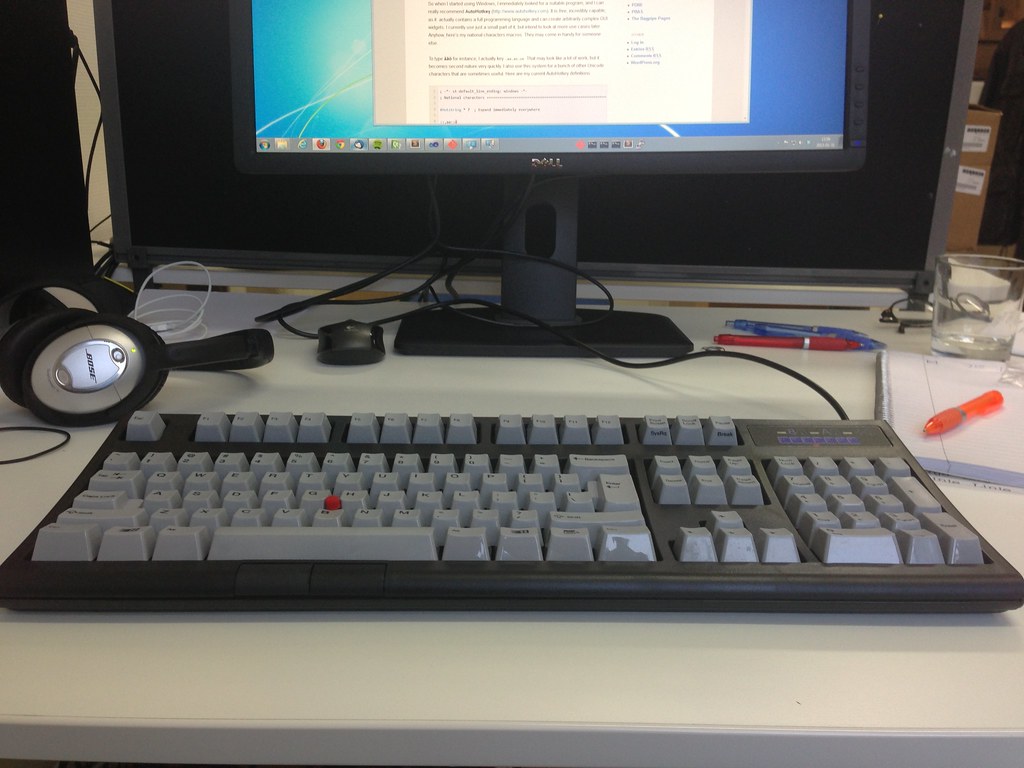
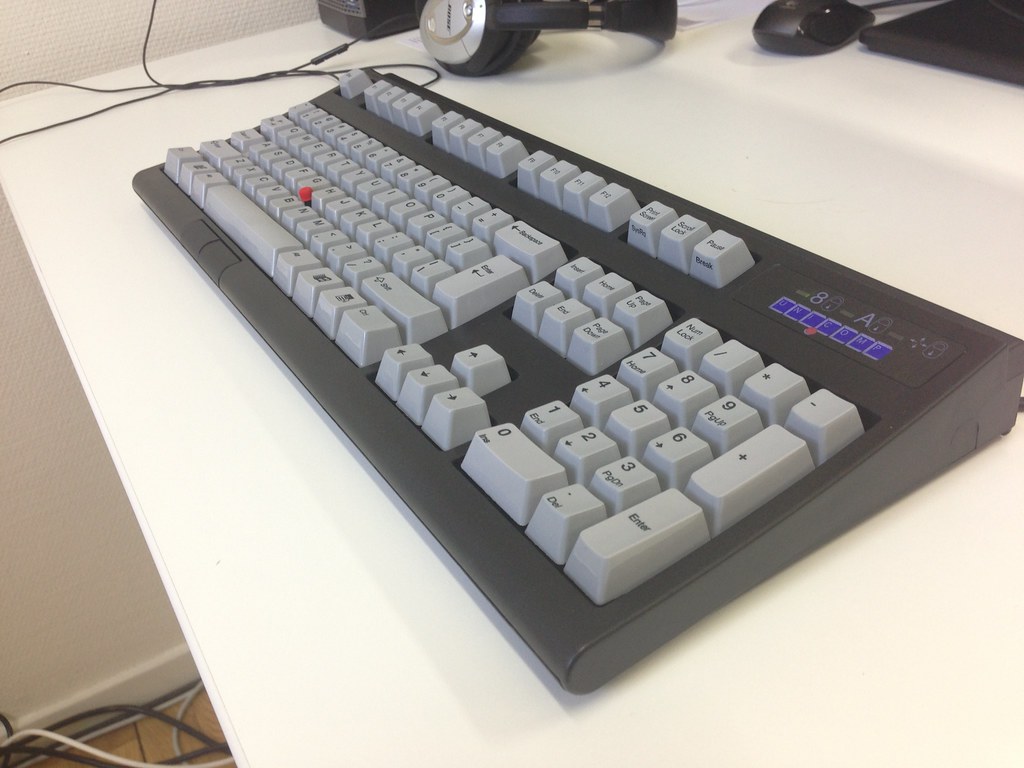
My new keyboard is here!

I have always been a keyboard freak, trying this and that hoping that I finally have found the ultimate keyboard that will improve my typing and remove all strain. Maybe I finally have …

A week ago, I ordered not one, but two, Endura Pro keyboards from Unicomp, Inc. These are mechanically the same as the original IBM Model M keyboard, as delivered with the original IBM PC. This is arguably the best keyboard ever made – it is certainly the most durable with many still in daily use after almost 30 years.

The Endura Pro model has an additional feature – a built in Trackpoint mouse control. So now I can throw my mouse in the bin … Maybe.

Anyways, I am typing away on it now, and so far it feels great. It has a very distinct click, and the key press is stiff, but not too hard. It is quite loud though, so I hope my collegues will not object to my clicking and clacking.

Here are some images from the unboxing. Enjoy!

I have found new employment

Status

There. No more lying around on the sofa all day. Starting Monday, I will be working full time at Textalk with various programming and design tasks. Initially, I’ll be doing C++ application programming with Qt, so I’m getting away from the web for a while.

The sheet music archive is live again

One of the interesting features of my old web site was the sheet music archive, where all my bagpipe music was available and searchable in a number of ways. This was something I had programmed myself using the Drupal API to get it to display. It took me a while to get the same functionality going in WordPress. The plugin API is completely different – no surprise there. I took the opportunity to change my code to the better. I might publish this plugin on Github later so you all can admire it.

Anyways, here is the sheet music archive in all it’s glory. Enjoy!

Multi-target publishing with Markdown

I have for a long time been a fan of writing everything as plain text. This started with me using LaTeX, which I still do when I want a perfectly formatted result. However, the last few years I have taken to using some of the many Markdown variants available. This has several advantages: First and foremost, the source is perfectly readable as-is, which makes it ideal for readme files and the like. And you can generate multiple output formats, depending of course on what markdown variant you use.

I initially started using Asciidoc, which is really good, and can generate output in HTML, PDF, ODF, and several different slideshow formats. However, it is not based on standard Markdown, but uses it’s own slightly different syntax. This is annoying if you sometimes also need to use normal Markdown. Recently I have switched to Pandoc, which is based on MultiMarkdown syntax with some extensions. It can generate oodles of different output formats, several of them text based, which for instance makes it easy to write MediaWiki pages. I always have problems remembering MediaWiki’s fiddly syntax, and having to write things like '''''bla''''' just makes me cringe. Continue reading

svenax.net rebooted

Since I realise it looks bad for me as web developer to have a personal site that has gone to the dogs, I’m putting up this WordPress blog to replace the now deleted Drupal site. I will likely play with this site a lot the next few days to configure it as I want, and also create a custom plugin or two to replace functionality from the old site. Some of the pages from the old site will also come back, but not the (extremely scarse) blog posts. I may however add some image galleries from bygone days. On the new site, I may even get adventurous and post more than once every 6 months. 🙂 We’ll see how that turns out. Anyways, welcome to my new site! I hope you will enjoy your stay.